SalesTrigger — Minimal API
This page contains only two endpoints used by the current integrations:
ListCampaigns and AddApiLead.
Base URL: https://outreach.salestrigger.io/api.
Required headers for every request:
X-AUTH-TYPE: API_TOKEN
X-AUTH-TOKEN: <YOUR_API_TOKEN>
Content-Type: application/json
Use in Make & n8n
Make — two ways to call these endpoints:
-
Generic HTTP module (universal):
Use Make’s built-in HTTP app to send a request to any SalesTrigger endpoint
(set
Method, fullURL, requiredHeaders, and JSONBodyfor POST) - SalesTrigger → Make an API call: If you prefer to keep everything under the SalesTrigger app, use its Make an API call to hit arbitrary endpoints with the same parameters. See the full walkthrough on the Make page (universal module).
Method:   GET | POST
URL:      https://outreach.salestrigger.io/api/...
Headers:  X-AUTH-TYPE: API_TOKEN
          X-AUTH-TOKEN: <YOUR_API_TOKEN>
          Content-Type: application/json
Body:     (for POST) see examples above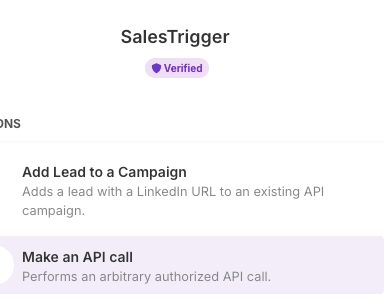
Full guide and more screenshots are on the Make page.
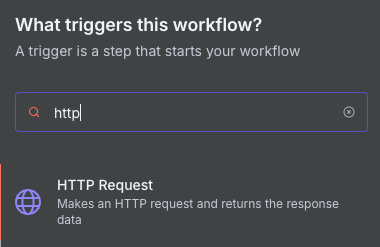
n8n — use the universal HTTP Request node:
- Set Method (
GET/POST) and the full endpoint URL. - Under Headers, add
X-AUTH-TYPE,X-AUTH-TOKEN, andContent-Type. - For
POST, enable JSON body and paste the payload from the examples above.
GET /beta/campaign/operations/list-campaigns
Lists campaigns available for API usage. Add the query parameter below to return only API-enabled campaigns.
curl -G "https://outreach.salestrigger.io/api/beta/campaign/operations/list-campaigns" \
  -H "X-AUTH-TYPE: API_TOKEN" \
  -H "X-AUTH-TOKEN: <API_TOKEN>" \
  -H "Content-Type: application/json" \
  --data-urlencode "only_api_campaigns=true"
Sample response (trimmed):
[
  {
    "campaign_info": {
      "id": "uuid",
      "campaign_name": "My API Campaign"
    },
    "creation_warnings": []
  }
]
Success: 200 OK (array).
Tips
- Use
only_api_campaigns=true— leads should be added only to API campaigns to ensure the expected automated behavior. - Use the returned
campaign_info.idas{campaignId}for the AddApiLead endpoint.
POST /beta/campaign/{campaignId}/api-add-lead
Add a LinkedIn lead to the selected API campaign. Along with the profile URL you
may pass up to 10 predefined messages mapped to custom_field_1..10.
curl -X POST "https://outreach.salestrigger.io/api/beta/campaign/{campaignId}/api-add-lead" \
  -H "X-AUTH-TYPE: API_TOKEN" \
  -H "X-AUTH-TOKEN: <API_TOKEN>" \
  -H "Content-Type: application/json" \
  -d '{
    "source": { "connection_type": "API_N8N" },
    "lead_object": {
      "lead_href": "https://www.linkedin.com/in/<PUBLIC-ID>/",
      "custom_field_1": "Hi!",
      "custom_field_2": "Follow-up"
    }
  }'
Sample response:
nullSuccess: 201 Created with an empty response body.
Tips
- Make sure the lead isn’t already present in other campaigns; otherwise, the lead won’t be added here.
- Validate the LinkedIn URL format:
https://www.linkedin.com/in/<PUBLIC-ID>/(otherwise the API may return422 Unprocessable Entity).