Make Integration
Paste your existing Make guide here. The layout below mirrors n8n and leaves extended space for screenshots.
Scenario walkthrough
1
Connect the integration
Add a new Connection to SalesTrigger and paste your API token. Save and verify the connection. (In Make, connections are created from the module dialog and can be reused across scenarios.)
- Open your Make scenario and add the SalesTrigger module.
- Click Add next to Connection, name it, and paste the API token.
- Click Save and then Verify. You should see a success indicator.
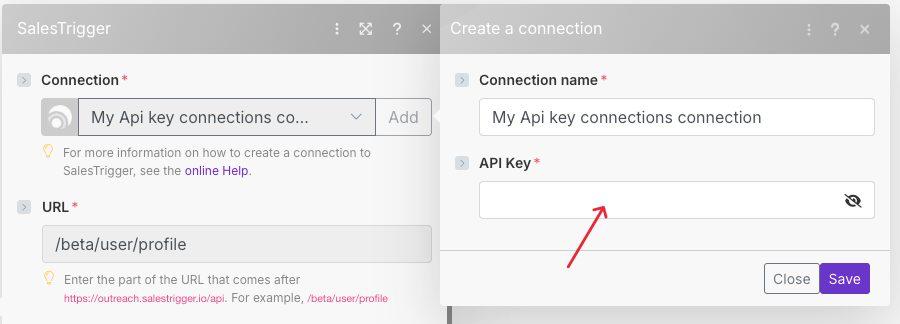
Tip: Connections in Make are saved for future use and can be managed from the Connections section.
2
Module: Add Lead to an API Campaign
Send a LinkedIn profile into a specific campaign and optionally attach up to ten predefined messages.
- Select the Campaign you created for API uploads.
- Paste a valid LinkedIn profile URL (format
https://www.linkedin.com/in/<PUBLIC-ID>/). - Fill in Message 1..10 to set the campaign’s predefined messages (optional).
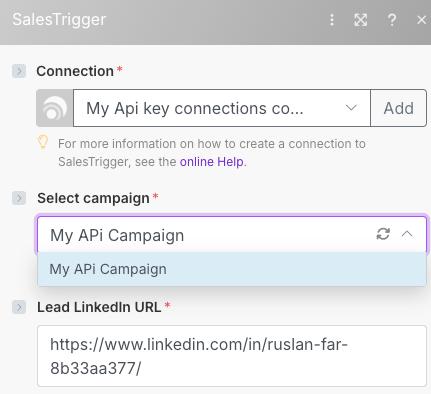
Expected result on success: HTTP
201 Created from the API; the lead becomes visible in the campaign audience shortly after processing.
3
Module: Make an API call
Use Make’s universal HTTP module to call any supported SalesTrigger endpoint when you need low-level control.
- Choose Make an API call (HTTP) and select your SalesTrigger Connection.
- Set the Method, URL path (e.g.,
/beta/campaign/<id>/api-add-lead), and, if needed, Query/Body. - Optionally map fields from previous modules (e.g., lead URL) and run the module.
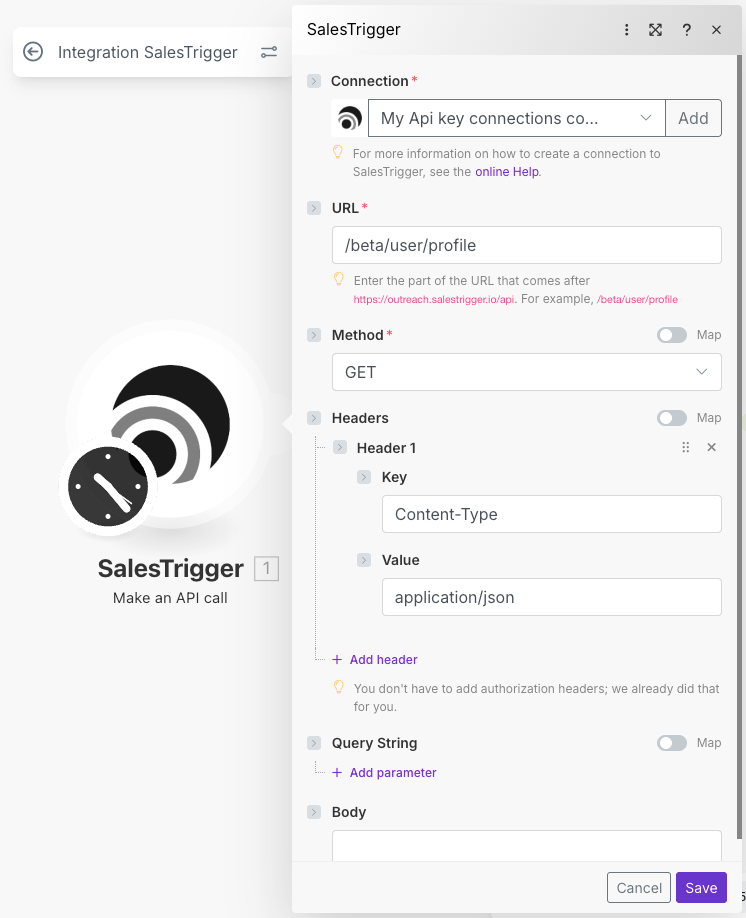
Reference: Make’s “Make an API call” flow lets you specify method, endpoint, and params directly from the editor.